Many of the additions are also expected to reach older Galaxy Watch models.
That makes One UI Watch 9 less about relearning the interface and more about refining the parts users interact with every day.
Wrist gestures could become more usefulOne UI Watch 9 also expands gesture-based control.
While some are associated with newer Galaxy Watch hardware, they can also be installed on older Galaxy Watch devices.
Most of these functionalities will be available in the Galaxy Watch 8 line, and even prior versions, but there may be hardware-related restrictions on some functionalities.
Samsung’s next round of software changes could make personalization far more hands-on, with a leaked One UI 9.5 feature suggesting that users may be able to create home-screen widgets simply by describing what they want.
At the same time, changes emerging around One UI Watch 9 point to a different priority on Samsung’s wearables: deeper health tracking, more useful gesture controls and restrained visual refinements rather than a dramatic redesign.
Together, the two developments offer an early look at how Samsung appears to be approaching its software across phones and watches, although the information available at this stage comes from reports, screenshots and demonstrations rather than a full Samsung announcement covering all of the features.
One UI 9.5 could turn plain-language requests into widgets
The most eye-catching development is a feature labeled “My Custom Widget” in material associated with One UI 9.5.
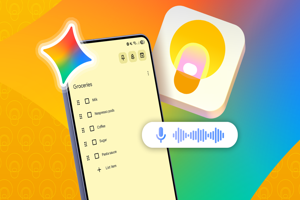
A screenshot shared by Fahad Ali Javed shows the feature inside Samsung’s interface. The concept appears similar to Google’s Create My Widget capability under Gemini Intelligence, which can take a plain-language description of the widget a user wants, determine how it should work and place the finished widget on the home screen.
That could significantly change the way users approach Android home-screen customization. Instead of searching through a fixed catalogue of widget designs or relying on third-party tools, a user could potentially describe the information or function they want and have the software assemble it.
There is, however, an important unanswered question.
It is not yet clear whether Samsung’s “My Custom Widget” is simply a Samsung-branded version of Google’s implementation or a separate feature developed by Samsung.
That distinction matters because it could determine both how the feature works and which Galaxy devices receive it first.
Galaxy foldables could be among the first candidates
Google has said that Create My Widget is intended to reach Pixel and Galaxy devices by the end of the summer. The Galaxy Z Fold8, Galaxy Z Fold8 Ultra and Galaxy Z Flip8 are identified in the report as the first Samsung devices supporting Gemini Intelligence.
Those devices launched with One UI 9.0, according to the same report, which raises the possibility that users may need to wait for an update to One UI 9.5 before Samsung’s custom-widget implementation appears. That remains a projection rather than a confirmed rollout schedule.
The leaked screenshot itself gives the feature more substance than a simple name. The image on page 2 shows a large “My Custom Widget” area alongside examples including app timers, follower information and an “Images and Stories” widget, suggesting that Samsung is exploring widgets capable of presenting different types of information rather than a single fixed template.
One UI Watch 9 is taking a more measured route
Samsung’s wearable software appears to be moving in a less dramatic but potentially practical direction.
One UI Watch 9 is described as being built on Wear OS 7, with changes focused on health tracking, gesture controls and visual refinements while largely preserving the interface Galaxy Watch users already know. Many of the additions are also expected to reach older Galaxy Watch models.
The visual changes are relatively restrained. Fonts have reportedly been resized for a smaller, cleaner appearance, text alignment within settings has been adjusted and background shades used for tiles and apps have changed to improve contrast. Core interface elements including animations, quick panels and toggles are said to remain largely unchanged.
That makes One UI Watch 9 less about relearning the interface and more about refining the parts users interact with every day.
Health features take a larger role
The bigger changes come from Samsung’s health and fitness tools.
The reported additions include Vitals Tracking, which establishes a seven-day baseline for selected health metrics, and Daily Cardio Load, designed to track cardiovascular activity and help users manage workout intensity and recovery.
The software is also described as adding heart-health insights and hearing-protection alerts that monitor environmental noise and warn about prolonged exposure to potentially harmful sound levels.
Existing tools including stress monitoring, blood-oxygen tracking and sleep tracking are also said to have received accuracy-focused refinements.
Samsung Health itself is expected to receive smaller improvements to metrics including heart rate, stress, blood oxygen and vascular load, while areas such as energy score, sleep tracking and food logging remain broadly consistent.
Wrist gestures could become more useful
One UI Watch 9 also expands gesture-based control.
A reported “Raise to Talk” gesture can activate Google Assistant when the user raises the watch toward their face. Separate controls for gestures such as Double Pinch and Shake are also expected to allow different actions to be assigned, including answering calls, dismissing notifications or managing alerts.
For a smartwatch, these changes could be particularly relevant because they reduce the need to navigate small on-screen controls for routine actions.
The update is also expected to introduce additional watch faces. While some are associated with newer Galaxy Watch hardware, they can also be installed on older Galaxy Watch devices.
Samsung’s software strategy is splitting personalization from practicality
The contrast between the two software developments is notable.
On phones, One UI 9.5 appears to be experimenting with generative AI as a tool for personalization, potentially allowing users to build interface elements around their own requests.
On watches, One UI Watch 9 is concentrating on health data, hands-free interaction and visual polish without substantially changing how the operating system is structured.
That does not mean the two projects are technically connected, and the available information does not establish such a connection. What they do show is Samsung working on different software priorities depending on the device: greater flexibility on the phone screen and faster, lower-friction interactions on the wrist.
There are still significant unknowns surrounding One UI 9.5, particularly whether “My Custom Widget” is Samsung technology, a renamed Google feature or a deeper integration of Gemini Intelligence.
Until Samsung details the feature itself, its final capabilities, device availability and rollout timing should be treated as unconfirmed.
The One UI Watch 9 update, on the other hand, is more of an enhancement release because all the improvements are mostly based on health monitoring and gestures as opposed to a new user interface altogether. Most of these functionalities will be available in the Galaxy Watch 8 line, and even prior versions, but there may be hardware-related restrictions on some functionalities.
Also Read: Meghan Markle’s Reported The Gentlemen Casting Withdrawn Before Season 3