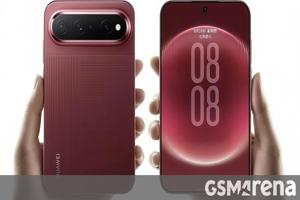
During my hands-on preview of the Pixel 11 Pro, I was pretty hyped about HiLight and how the colored, flashing light located on the smartphone's rear camera bar could potentially help me triage my never-ending notifications.
Why Google decided to launch the Pixel 11 Pro and HiLight with this odd limitation, is something we'll likely never know.
Unfortunately, this isn't an app you can download from the Play Store and install on your Pixel 11 Pro, which significantly limits its audience.
Maybe Google just ran out of development time on the Pixel 11 Pro and needed to release the feature in its current state to meet the deadline.
In some ways, HiLight's potential is boundless in allowing you to disconnect from your Pixel 11 Pro's screen while still staying on top of specific notifications.
During my hands-on preview of the Pixel 11 Pro, I was pretty hyped about HiLight and how the colored, flashing light located on the smartphone's rear camera bar could potentially help me triage my never-ending notifications. I'm always looking for ways to disconnect from the digital world, and HiLight seemed like a smart way to do that. But after spending more time with Google's flagship smartphone and trying the feature briefly for myself, it's clearly a big miss by the tech giant — at least right now.
While I assumed I'd be able to set different HiLight colors for various types of notifications, including email and text messages, you can currently use it only to indicate calls from your favorite contacts — and even then, you can select from just one of five colors. HiLight also flashes when you're talking to Gemini, indicating that the AI assistant is listening.
HiLight still holds a lot of potential
An app that allows for more customization already exists, but it isn't easy to install
Close
Maybe it was a bit naive of me to assume Google would let you do so much with HiLight right away, but at the time it made a lot of sense, especially given how much the company talked about the feature during my hands-on preview of the smartphone.
Why Google decided to launch the Pixel 11 Pro and HiLight with this odd limitation, is something we'll likely never know. Google says that using HiLight for messages from your favorite contacts is coming, but it's unclear when it will actually release. It's also unclear if it will ever officially be compatible with third-party apps, which is very disappointing.
Then there's HiLight Studio, an app that pushes the feature further, allowing per-app notifications, more colors, and even control over features like brightness, timing, and saturation. Unfortunately, this isn't an app you can download from the Play Store and install on your Pixel 11 Pro, which significantly limits its audience. You need to enable developer settings, sideload it from GitHub, and then install several additional apps to get it running. An app like HiLight Studio being available directly in the Play Store could fill the gap in HiLight functionality, but like so many other things related to the colored flashing light, it's unclear if that will ever happen.
Let's get the obvious out of the way. HiLight isn't exactly a new idea. There are a few recent examples of similar smartphone features, including Nothing's devices and their Glyph interfaces and Asus' ROG Phone 8 and 9's wacky AniMe Vision. However, for me, it comes back to the iconic BlackBerry Curve 8300 and the small multi-colored LED indicator near the top of the phone (several BlackBerry devices featured a flashing LED indicator).
Way back in the mid-2000s, you could set different colors for email, SMS, and BBM, and if you wanted to take things a step further, there were third-party apps that allowed you to create fun patterns and flash specific lights for apps and contacts. I remember setting my BlackBerry Curve 8300 to flash red, blue, or green when texts from specific contacts came through. It was not only fun, but also very useful.
It allowed me to pop my phone partially out of my pocket at the department store I worked at (yes, we weren't supposed to have our phones on the store floor at Zellers), covertly check the notification light, and slide it back in my pocket if I didn't see an important color flashing. In a modern context, it would be great to leave my Pixel 11 Pro face down on my desk and have HiLight flash specific colors when my partner texts me or when I receive an important email in Gmail, just as two simple examples.
Why a modern smartphone released in 2026 doesn't offer anything close to this functionality is truly perplexing. Maybe Google just ran out of development time on the Pixel 11 Pro and needed to release the feature in its current state to meet the deadline. Either way, it's very disappointing that what could have been a low-key killer feature is basically almost useless in its current form.
HiLight is in dire need of a glow-up
Hopefully, Google is listening to the criticism surrounding the feature
In addition to being compatible with its own apps, Google needs to open HiLight to third-party developers via an API, making it easy for app creators to add the functionality to their apps. At the very least, there needs to be some of HiLight Studio's key customization features, including the ability to change the light's color, brightness, and timing.
Beyond that, I could see HiLight being used for more creative tasks, like monitoring restocks of sought-after products or when a cheap flight appears. It could even turn on when a video has been uploaded to YouTube or Google Drive, or flash a specific color when it's time to leave for an appointment. In some ways, HiLight's potential is boundless in allowing you to disconnect from your Pixel 11 Pro's screen while still staying on top of specific notifications.
Hopefully, Google feels the same way and continues to update HiLight with new features.